
OmniGet Quickstart Guide
Download online courses, video, audio, image galleries and torrents from 1,800+ sites, then read, transcribe and study what you saved. Windows, macOS and Linux.
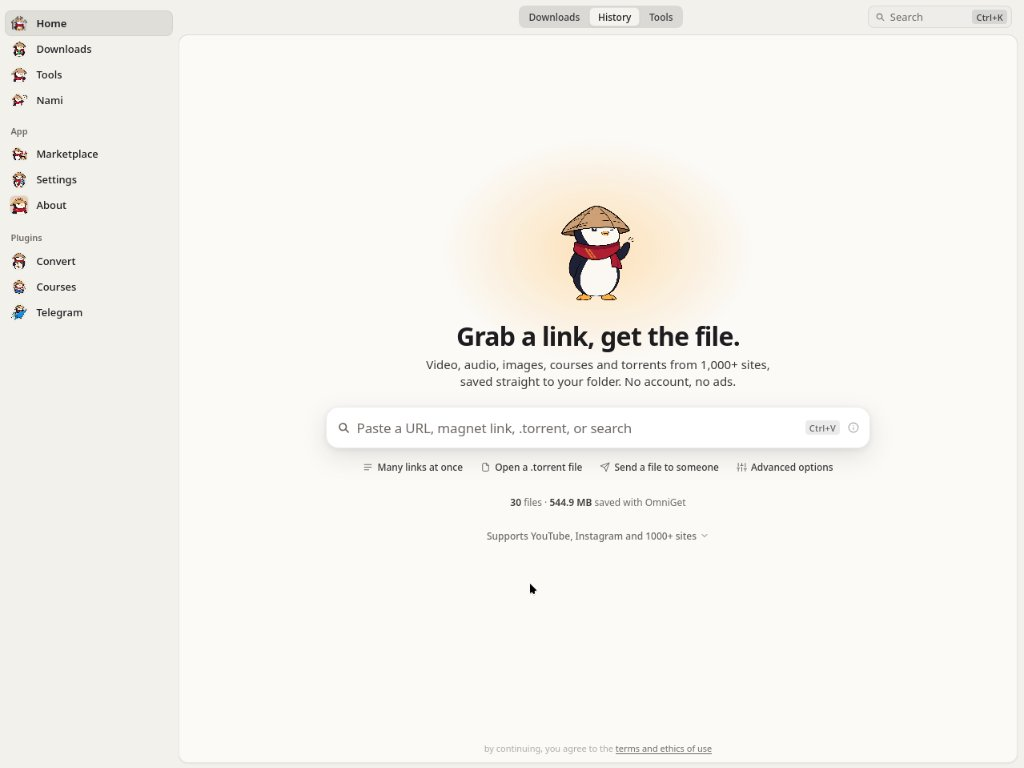
OmniGet is a free, open-source desktop app (GPL-3.0) for Windows, macOS and Linux. It downloads from 1,800+ sites, with native extractors for paid courses and social platforms, an offline study library, and a local Model Context Protocol (MCP) server that AI agents can drive.
Desktop app
One download box, speed and ETA while it runs, an offline video/audio player, and 158 built-in tools.
Local MCP server
Exposes 37 local tools over 127.0.0.1:47720 to Claude Code, Cursor, and VS Code for automated downloading and transcription.
Standalone Portable Mode
Create portable.txt next to the Windows executable to isolate all SQLite databases, cookies, and tools onto a USB stick.
1. Quickstart & First Download Walkthrough
OmniGet sets itself up on first launch:
-
Automatic Engine Verification: On initial launch, OmniGet asks for your preferred language and theme, then verifies or fetches
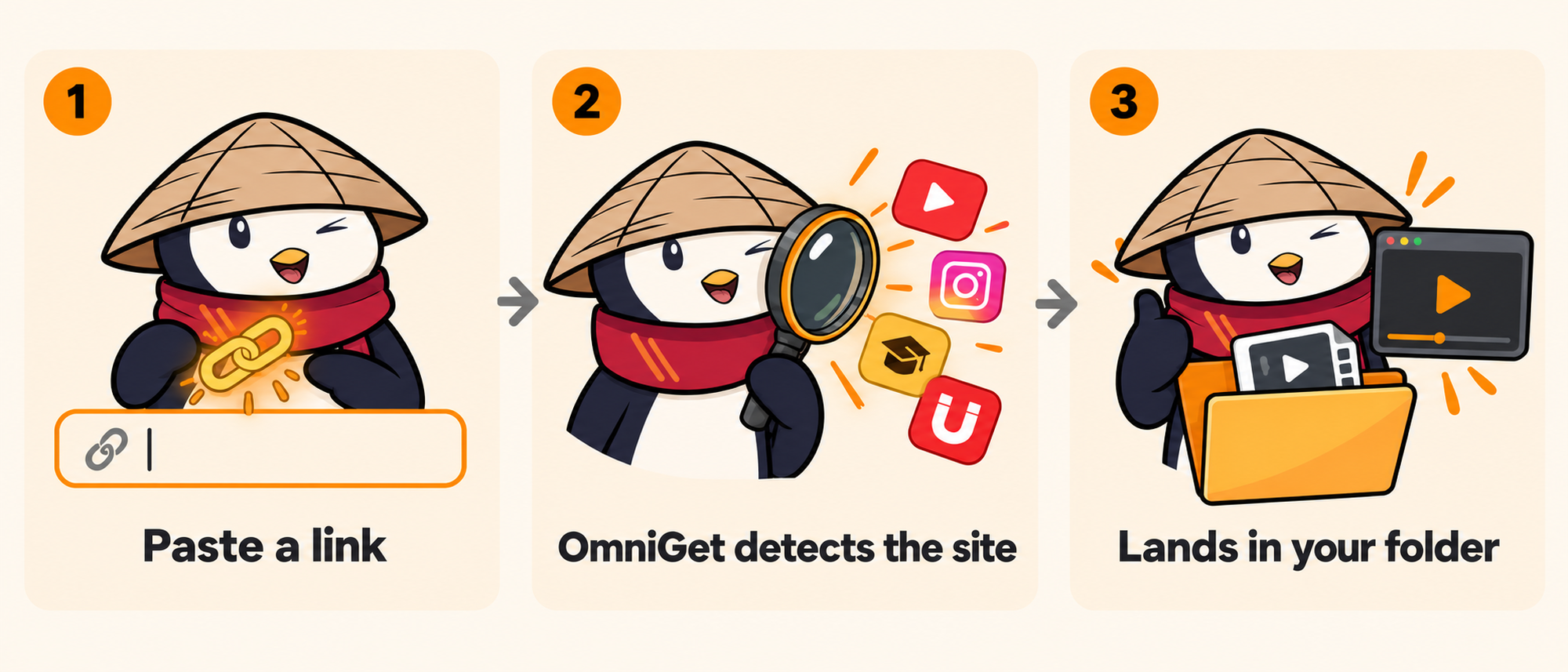
yt-dlpandFFmpegagainst strict cryptographic SHA-256 checksums before anything executes. If Python 3.10+ is detected on your system, yt-dlp runs as a zipapp, starting in under one second. - Paste Any Link: Copy any media URL to your clipboard (a YouTube video, Instagram reel, TikTok post, X thread, Pinterest board, Bilibili series, magnet link, or .torrent file). Paste it into the main input box. (For enrolled e-learning courses, navigate to the dedicated Courses workspace with your active login session).
- Inspect Streams & Choose Quality: OmniGet probes the destination server and renders available streams: choose from 4K HDR, 1080p60, AV1/VP9/H.264, or extract pure audio directly as MP3, M4A, Opus, or lossless FLAC.
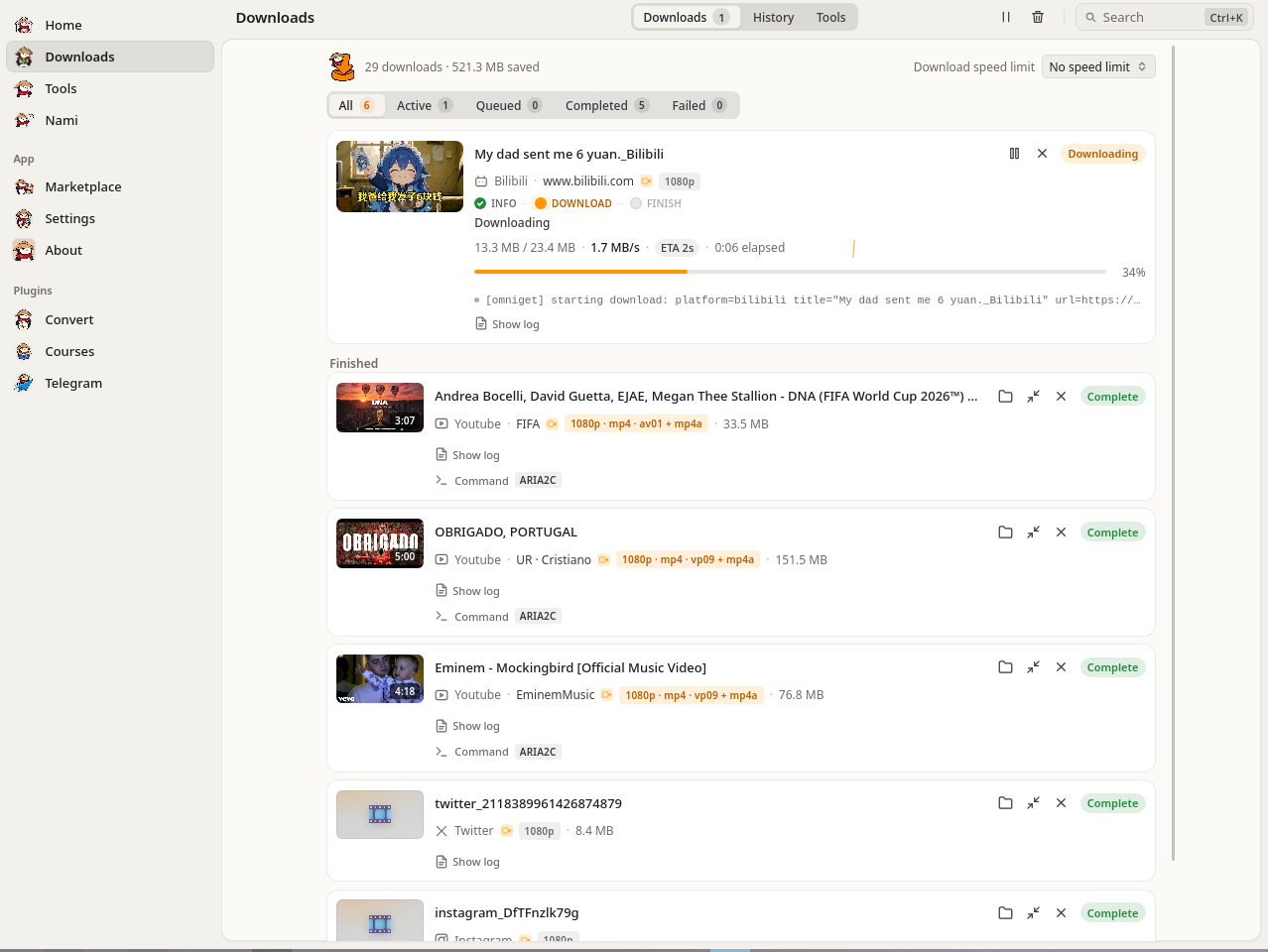
- Download and watch: the Downloads panel shows live speed, phase and ETA. Interrupted downloads resume where they stopped, and rate-limited sites are retried with backoff.
2. Global Hotkeys & Background Capture
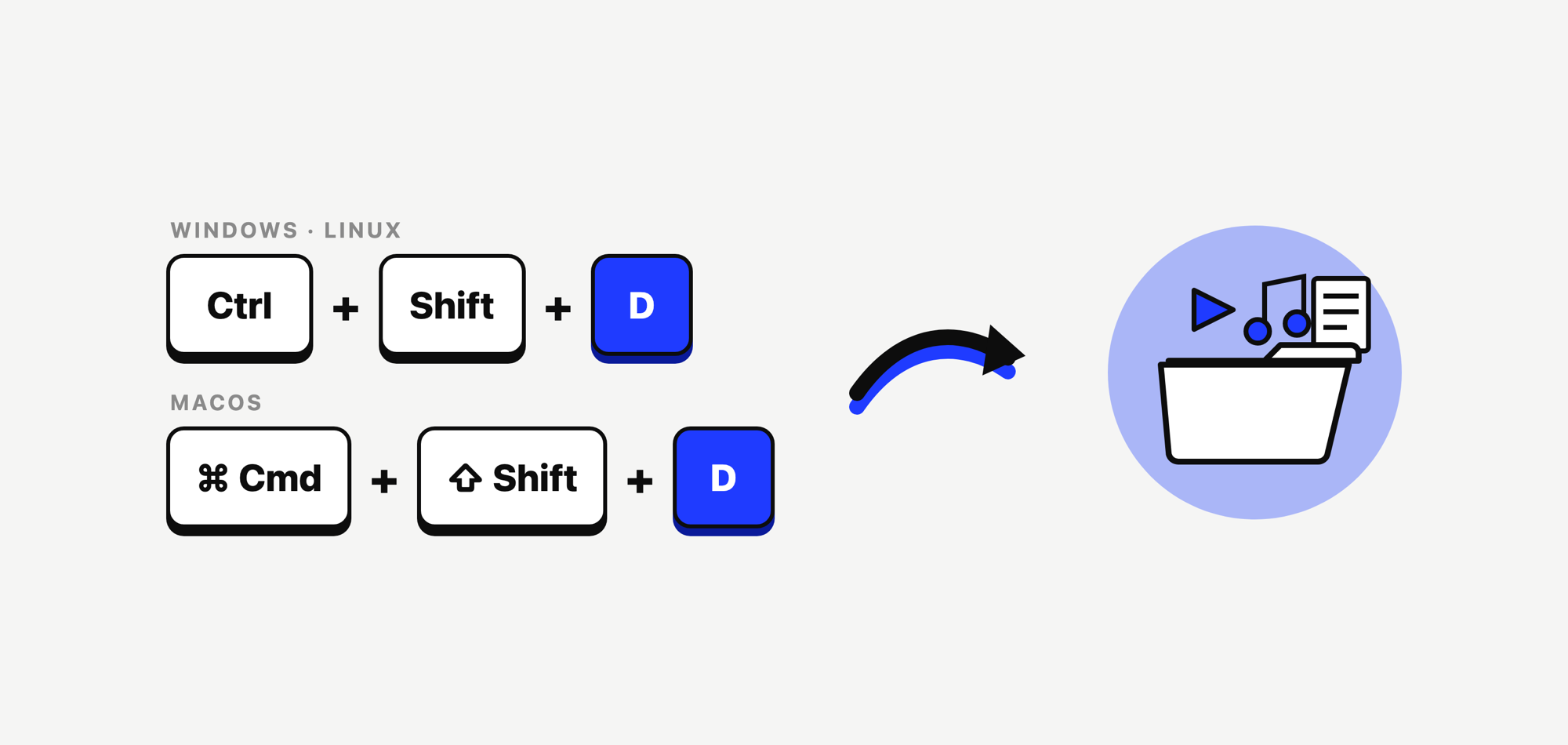
You don't need to keep the OmniGet window in the foreground. Once enabled in Settings → Downloads → Clipboard & hotkeys, system-wide keyboard shortcuts trigger instant background downloads:
| Shortcut (Windows / Linux) | Shortcut (macOS) | Action Description |
|---|---|---|
Ctrl + Shift + D |
Cmd + Shift + D |
Reads the active clipboard URL and queues the highest available video quality silently in the background. |
Ctrl + Shift + M |
Cmd + Shift + M |
Extracts audio-only (converts YouTube or social links directly to MP3) without opening the main window. |
Ctrl + K |
Cmd + K |
Opens the command palette to jump to any tool, setting, or the download queue. |
3. Technical Comparison Matrix
How OmniGet compares against raw command-line tools, single-site web downloaders, and paid commercial course downloaders:
| Feature Axis | OmniGet | yt-dlp CLI Alone | Single-Site Web Tools | Paid Course Tools |
|---|---|---|---|---|
| Supported Sites | 1,800+ sites + 36 Courses, Instagram, X, Pinterest, Bilibili, Torrents | 1,800+ sites | 1 site only | 1 or 2 platforms |
| Setup Experience | One executable, auto-manages yt-dlp, FFmpeg & whisper.cpp | Manual Python, PATH, FFmpeg flags | None (browser) | Installer + license key |
| Authenticated Content | Companion Extension forwards session cookies in 1 click | Manual --cookies text export |
Rarely supported | In-app browser login |
| Queue & Resilience | Resume, retry with backoff, up to 16 parallel fragments | 1 command at a time | No queue | Varies |
| Post-Download Hub | Study workspace, player, reader, Anki cards, 158 tools | Raw files on disk | Files, often re-encoded | Raw folder |
| Pricing & License | 100% Free & Open Source (GPL-3.0) | Free (Unlicense) | Ad-supported / rate limited | $40 - $120 / year subscription |
4. Supported Media Engines & 1,800+ Sites
OmniGet uses native extractors for the platforms that need a login, and yt-dlp for everything else:
- Online courses (36 platforms): Hotmart, Udemy, Kiwify, Skool, Gumroad, Rocketseat, Teachable, Kajabi, Thinkific, Pluralsight, The Great Courses (Wondrium), MasterClass, MemberKit, Cakto, Curseduca, Data Science Academy, Estratégia Concursos, Gran Cursos Online, Fluency Academy, Eduzz Nutror, and more. Keeps the course structure and downloads attachments.
- Video & Audio Streaming: YouTube (videos, playlists, channels, SponsorBlock skip, Return YouTube Dislike, live streams from start, Force H.264 switch), TikTok, Instagram, X, Reddit, Twitch (VODs, clips, live), Vimeo, Bluesky, Threads, Douyin.
- Bilibili (Authenticated Hi-Fi): 4K, HDR, Dolby Vision, Dolby Atmos, and Hi-Res lossless audio via your VIP session. Exports danmaku comments as XML/ASS and generates Kodi/Jellyfin NFO metadata.
- Image Galleries (250+ Sites): Full artist profile and gallery downloads via gallery-dl integration (Pixiv, DeviantArt, ArtStation, Flickr, Tumblr, Kemono, Imgur).
- Torrents & P2P Transfer: Built-in BitTorrent client powered by librqbit handles
.torrentfiles and magnet links. Direct peer-to-peer computer transfer with short word codes. - Telegram Channel Archiver: The embedded OmniGram plugin downloads photos, videos, audio, and documents from any group you belong to into structured folders (
OmniGram/<channel>/).
5. Study & Offline Workspace
Downloading is only the start. The built-in Study module finishes what you download:
Timestamped Notes
Resumes playback to the second. Press N while watching to capture an annotated note that jumps back to that timestamp when clicked.
E-Book & PDF Studio
Read PDF, EPUB, DJVU, MOBI, AZW3, FB2, and CBZ with paper-like themes, text highlights, bookmarks, and font controls.
Anki Flashcard Engine
Turn any video note or book highlight into a flashcard. Supports importing .apkg and CSV decks with full review logs.
6. The 158 Offline Tools Hub
OmniGet bundles 158 tools across 25 categories. Each tool is one Rust command, JSON in and JSON out:
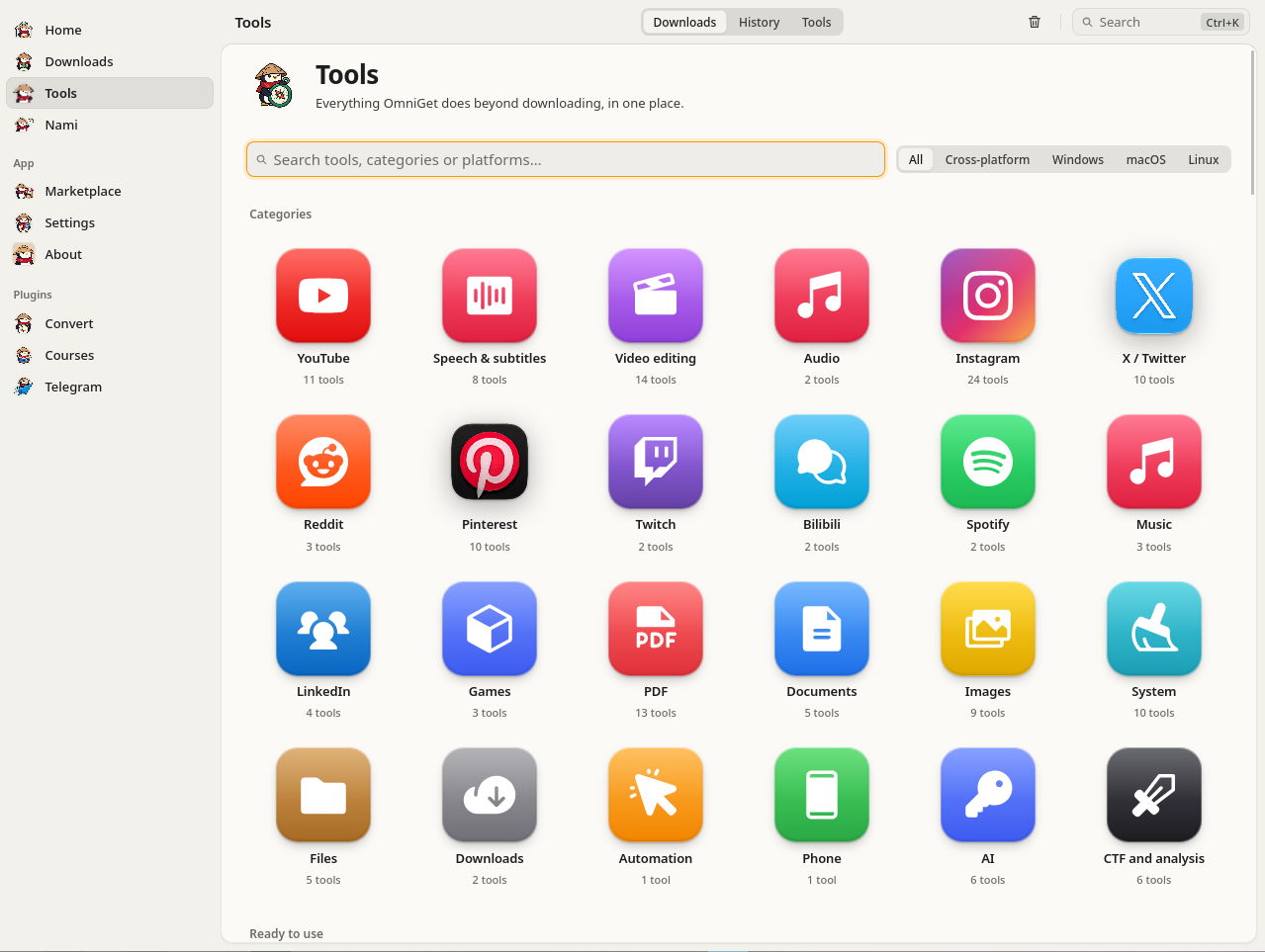
- Speech & Subtitles: Offline whisper.cpp transcription, Microsoft Edge neural TTS, subtitle translation, and bilingual subtitle merging.
- Video Editing: Lossless video trimming, two-pass target size compression (e.g. 10MB Discord limits), video-to-GIF, silence cutting, video stabilization.
- PDF & Documents: Merge, split, compress, repair corrupted PDFs, Bates-numbering, redaction verification, and PDF-to-Markdown conversion for LLMs.
- Images: Vulkan GPU upscaling (Real-ESRGAN), batch resizing, duplicate photo detection, screenshot stitching, and spritesheet slicing.
- System & Privacy: Cache cleaner, disk treemap analyzer, hosts file ad-blocking, Windows privacy hardening, and duplicate file hash finder.
- CTF & Cryptography: Hash & HMAC identification, file entropy analysis, Caesar/Vigenère/XOR cracking, and base64/hex multi-decoders.
Press Ctrl + K (or Cmd + K on macOS) anywhere in the app to open the command palette, search, and run any tool.
7. Privacy Policy & No Tracking
OmniGet is an offline-first desktop app. It runs locally on your workstation with no user accounts, no cloud backend, and no central servers collecting your activity.

No Telemetry & Analytics
The app has no analytics, crash reporters, or usage trackers. When you paste a link, search for streams, or run a download, nothing is reported back:
- No telemetry or heartbeat requests.
- No URL logging: links, video titles, and download paths stay on your machine.
- No analytics SDKs: built without Google Analytics, Sentry, Firebase, Mixpanel, Datadog, or PostHog.
- No ads, sponsored links, or hidden cryptominers.
Local Storage & User Data Ownership
All settings and download records are saved directly to your operating system's standard application directory:
- Windows:
%APPDATA%\com.openselena.omniget\(or adatafolder next to the executable ifportable.txtexists) - macOS:
~/Library/Application Support/com.openselena.omniget/ - Linux:
~/.local/share/com.openselena.omniget/(or$XDG_DATA_HOME/com.openselena.omniget/)
Within these paths, OmniGet maintains:
omniget.db: SQLite database storing download history, file paths, media titles, custom tags, and notes.settings.json: Configuration preferences (download directories, concurrent stream limits, speed limits, theme).cache/: Temporary thumbnail previews and active download fragments.
Data Deletion: You can clear your download history in the app, or by deleting the omniget.db file from disk while OmniGet is closed.
Direct Downloads (No Proxy Relays)
When downloading or inspecting media, connections go directly between your computer and the media host's CDN (such as YouTube, Vimeo, Instagram, TikTok, or course servers). OpenSelena runs no proxy servers, relays, or stream reflectors. The destination servers receive your IP address and standard HTTP request headers, similar to opening the page in a browser.
Browser Extension & Session Cookies
The companion extension communicates with OmniGet Desktop strictly over local loopback (http://127.0.0.1:47720 to 47729). It never connects to the internet. Handshakes require a local session token from the running desktop app. Forwarded session cookies are encrypted locally on disk and used only by native extractors. They are never sent to external servers.
Local MCP Server Security
The built-in MCP server binds strictly to 127.0.0.1. It rejects connections from outside your machine. Local AI tools (Claude Desktop, Cursor, local LLMs) interact with tools directly on your computer without sending prompts or transcripts to OpenSelena.
DRM Policy
OmniGet does not crack, decrypt, or bypass DRM protections like Widevine, FairPlay, or PlayReady. When an encrypted stream is detected, OmniGet stops extraction and skips the stream.
Outbound Network Request Matrix
The following table details every outbound network request that OmniGet can initiate:
| Destination | Purpose | Data Transmitted | Trigger Condition |
|---|---|---|---|
| Origin Media CDNs (YouTube, Vimeo, etc.) |
Retrieve media streams, format manifests, and fragments. | Target URL, HTTP Range headers, local session cookies (if authenticated). | Only upon user-initiated download or inspection action. |
GitHub APIapi.github.com/repos/OpenSelena/... |
Check for newer releases and security patches. | Standard HTTP User-Agent and client architecture (e.g. OmniGet/0.14.0 x86_64). |
On startup (can be disabled in Settings). |
| OpenStreetMap Nominatim (Optional diagnostic) |
Resolve server location in the Network Tools tab. | Selected target host/IP query string. | Only if user manually runs the GeoIP Lookup tool. |
| OpenSelena Servers | None. We operate zero telemetry, tracking, or proxy servers. | None. | Never. |
Open Source Verification
OmniGet is licensed under GPL-3.0. The full source code is public on GitHub. You can inspect all network and database code directly, or verify that the app sends no telemetry by monitoring network traffic with Wireshark, Fiddler, or mitmproxy.
Code signing policy
Free code signing provided by SignPath.io, certificate by SignPath Foundation. Code changes and signed releases are reviewed and approved by the OpenSelena maintainers.
8. omniget-cli Command Reference
Every release includes the headless omniget-cli binary for terminal workflows, automated scripts, and CI runners:
# Download video or audio:
omniget-cli download "https://www.youtube.com/watch?v=..." --audio-only

# Preview what a URL offers without downloading:
omniget-cli info "https://www.youtube.com/watch?v=..."

# Download a list of URLs from a file:
omniget-cli batch ./urls.txt --max-concurrent 3 --output ~/Downloads

# Import a cookies.txt file (Netscape format):
omniget-cli import-cookies ./cookies.txt --name firefox
9. Whisper Model Management & Speech Studio
OmniGet's Speech & Subtitles engine bundles whisper.cpp for local GPU/CPU speech-to-text. Models are stored in %APPDATA%\OmniGet\models\ on Windows and ~/.config/OmniGet/models/ on macOS/Linux:
| Model Variant | Disk Size | RAM / VRAM Required | Recommended Usage |
|---|---|---|---|
tiny / tiny.en |
75 MB | ~390 MB | Fastest draft transcription on low-spec laptops and battery power. |
base / base.en (Default) |
142 MB | ~500 MB | Balanced accuracy and speed for YouTube videos, podcasts, and clear speech. |
small |
466 MB | ~1.0 GB | High accuracy across accented English and general multilingual speech. |
medium |
1.5 GB | ~2.6 GB | Professional transcription for technical lectures and noisy environments. |
large-v3 |
3.1 GB | ~4.7 GB | Maximum multilingual precision, music lyrics, and low-fidelity audio recordings. |
10. Official Release Notes & Changelog
Track every update and bugfix shipped in OmniGet. OmniGet follows Semantic Versioning and publishes signed artifacts with SHA-256 checksums for every desktop release.
Home Stage & Omnibox V1, 4K & 2K Quality Engine & Global Download Dock
What's New
- 4K (2160p) & 2K (1440p) Quality Engine: Added dedicated 4K and 2K resolution presets in the Home Omnibox popover (
Quality and more) and Settings (Quality & format), with upper-bound fallback selection (height <= H) across Rust extractors (vimeo.rs,twitch.rs,ytdlp.rs). - V1 Home Stage & Omnibox Geometry: Restored the Home input wrapper to a
16pxcard radius with an integrated8pxconcentricPastebutton pill, added circular+action popover (batch mode, local.torrent, file transfer, advanced), unified stage transitions, and 3-line media preview card with duration badges. - Global Download Dock (
GlobalDownloadBar.svelte): Introduced a persistent floating bottom dock across all application routes featuring real-time byte counters, ETA, dynamic 60-point SVG throughput sparkline, and consolidated status/speed filter controls in/downloads.
Fixes
- Audio-Mode Queue Routing: Fixed job ingestion in
queue.rsso that selectingvideo_quality = "audio"explicitly promotes the job todownload_mode = Some("audio"), skipping video extraction and downloading native audio streams directly. - Svelte 5 Toolbar State Leak: Replaced
$statewith$state.rawand a monotonicactiveTokenintoolbar-store.svelte.ts, ensuring section-specific action buttons and tabs are cleanly destroyed upon navigating away. - Home Search Retention: Preserved top-right
.mac-search-field(Search Ctrl+K) on Home while scoping section titles (e.g."Nami") on secondary routes. - Process & Preview Stability: Configured
process_group(0)with direct PID tree kill fallbacks for background extractors, restored Instagram photo thumbnails, and resolved infinite preview skeleton shimmer on Twitter/X. - Clippy Baseline Compliance: Replaced vector allocations with fixed stack arrays in platform test suites to pass GitHub Actions automated build gates across Linux, macOS, and Windows without baseline drift.
Home Geometry & Asset Alignment: Centered Titlebar, Concentric Pill Omnibox & Lossless Mascot Frames
Fixes
- Shell & Titlebar Alignment: Aligned
.mac-titlebarright inset and banner margins with--pane-insetso titlebar controls share the pane centerline, and capitalized the backend window title toOmniGet. - Lossless Mascot Framing: Centered all 7 mascot PNGs on a square
1320x1320canvas without edge halos or baseline drift, enforced square rendering, and fixed the image load race inMascot.svelte. - Concentric Home Aura: Moved the warm radial glow into
.home-stage-heroso it tracks the mascot center across all window heights. - Omnibox Pill & Action Menu: Updated the Omnibox wrapper to full pill radius (
9999px), uniform32pxendcap controls, a flush8pxmenu gap, and localizedomnibox.more_actionslabels.
Home Stage Parity: 4K & 2K Quality Selection, Video Mode & Immediate Media Preview
What's New
- 4K (2160p) & 2K (1440p) Quality Support: Added 4K and 2K resolution selection in both Home (under
Quality and more) andSettings > Downloads > Quality & formatwith automatic upper-bound fallback. - Video Mode & Options Rename: Renamed
Automode button toVideowith a video icon, and renamedOptionstoQuality and more. - Unified Centered Stage Flow: Preserved the centered stage layout and 52px Omnibox without jumping to a flat top bar on paste.
- Immediate Media Preview: Prefetch starts immediately upon paste, briefly softening the mascot and revealing a 3-line preview (Title, Author, Duration) when the inspector card opens.
- Post-Download Feedback: Centered
Added to Downloads · Open Downloadsinline confirmation with mascot celebration. - Global Download Dock Polish: Added ETA estimates and a subtle container for the live throughput sparkline.
V1 Shell Polish: Clean Home Stage, Sharp Mascot Inspection & Route-Scoped Toolbar Cleanup
Interface & Shell Fixes
- Fixed cross-route toolbar state persistence so
Downloads | History | ToolsandInstalled | Browsesegments and actions clear immediately when navigating away from/downloadsor/marketplace. - Removed the secondary Home stage subtitle copy while keeping the primary headline, Omnibox, and top-right
Search Ctrl+Kbar. - Removed the CSS filter blur on the Penguin mascot and speech bubble during active link inspection on the Home screen.
V1 UI Upgrade: Omnibox Action Popover, Clickable Paste Pill, Thumbnail Duration Badge & Global Download Dock
Interface & Experience Upgrades
- Added a circular
+popover menu inside the Omnibox for batch URLs,.torrentfiles, P2P file sharing, and advanced options, plus a clickablePastepill. - Moved preview duration into a bottom-right thumbnail badge and added subtle mascot blur during link inspection.
- Added a persistent global bottom download dock with live progress, transfer speed, and a 60-point SVG network throughput sparkline.
- Aligned segmented status filter pills and the download speed limit selector on a single horizontal header bar.
Platform Media Stability Patch: Queue Kind Refinement, Thumbnail Resolution, Unix Process Group Termination & CPU Throttling
Bug Fixes & Stability Patches
- Resolved queue item kind categorization so downloaded photos and carousels display photo indicators and badges instead of videos.
- Restored missing photo thumbnails and creator username extraction for Instagram single and carousel posts.
- Propagated Twitter photo URLs to thumbnails and guarded omnibox preview against infinite shimmer skeletons.
- Added Unix process group allocation (
process_group(0)) and direct PID kill to ensure Nami downloads stop reliably. - Throttled yt-dlp concurrent fragments to 4, limited ffmpeg threads to 2, and debounced omnibox metadata prefetching.
- Added canonical redirect resolution for Threads
/share/links.